Review ingredients and amounts
Check names, amounts, units and servings, and fill in missing information.
01 / Fridge matching & AI recipes
See what you can cook. Match your own recipes or ask AI for a recipe with your preferences.
See how it worksWhen you have ingredients left to use, fridge matching checks your personal recipes and shows how well they fit your available ingredients.
Adjust the number of suggestions and minimum match threshold. Results come from saved recipes, useful when you want a familiar dish.
Personal recipe matching requires membership and is separate from online AI generation.
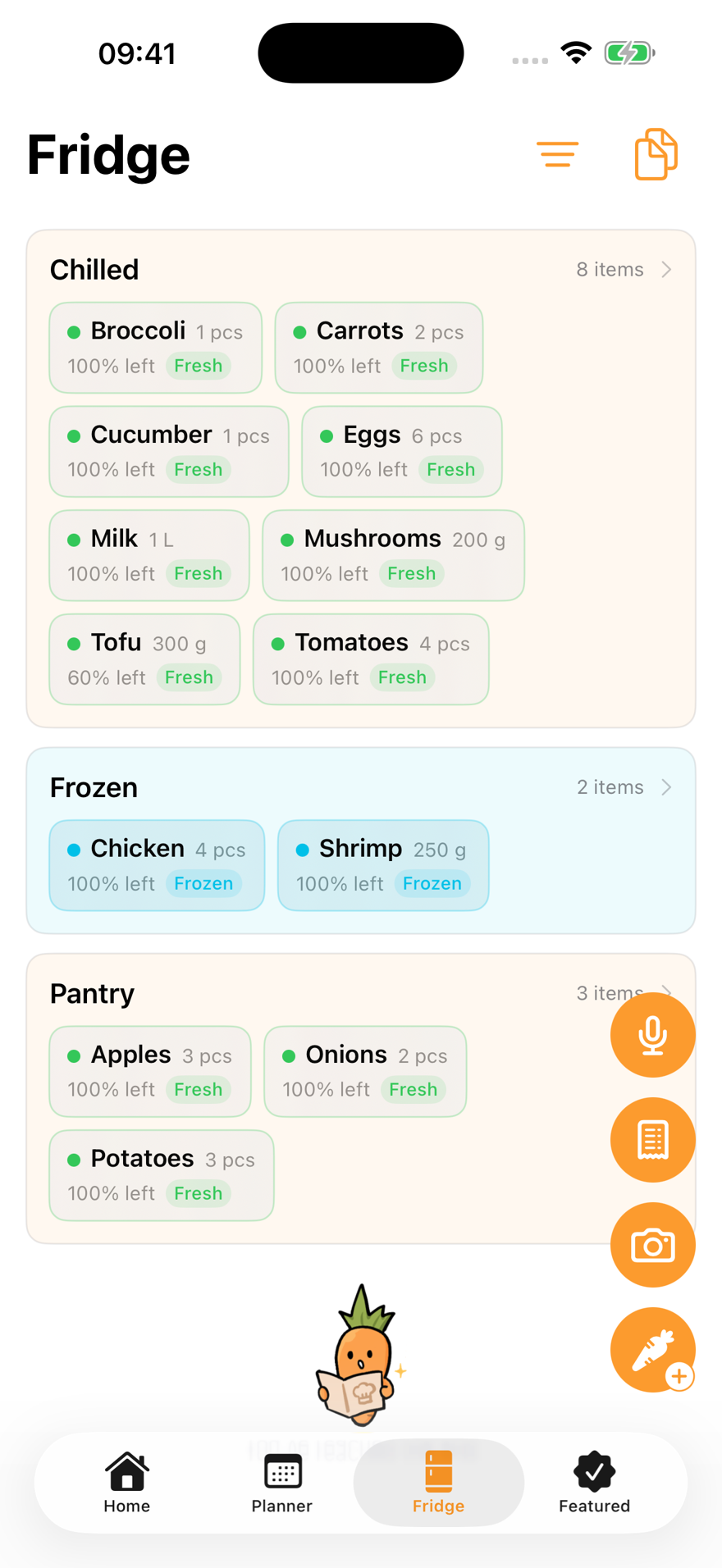
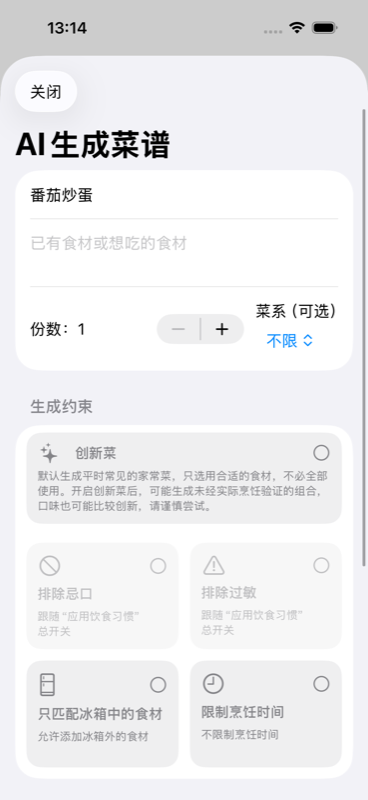
Enter a dish, ingredients, servings, cuisine or cooking time. Choose to use only fridge ingredients when you want to cook from stock.
By default, AI aims for common home cooking using a suitable selection of ingredients. It does not have to put everything into one dish. You can also choose inventive combinations.
Enabled dietary preferences can inform generation. Check ingredients and allergies yourself. Inventive combinations may not have been tested in cooking.
Check names, amounts, units and servings, and fill in missing information.
Check the sequence and timing, adjusting for your actual ingredients.
Save as a personal recipe, then edit it, add it to a plan or prepare a shopping list.
Read moreOnline AI features share 15 lifetime free requests; members get 200 per Beijing calendar month. Service-wide daily and concurrency limits apply. Available features depend on the app version.
Required content is sent only when you submit a task. Review amounts, allergies and steps: results may contain errors or omissions. Calorie estimates are for reference.
Read the data processing policy
The essentials are free. Every plan is ad-free.
Get CookBookPlatforms, regions, versions and prices follow the App Store listing.